
Introduction
In today’s digital age, staying safe online is more important than ever. Every day, millions of people use the internet for shopping, banking, work, and social communication. While this brings convenience, it also exposes users to cyber threats. Hackers, phishing scams, malware, and ransomware are constantly evolving, making online safety a critical concern.
One of the most effective tools for staying safe is online security threat notifications. These notifications alert you to potential risks, breaches, or suspicious activity in real time. By acting quickly, you can prevent data theft, financial loss, or identity fraud. Whether you are a beginner or someone with moderate experience in cybersecurity, understanding these notifications is essential.
What is Online Security Threat Notifications?
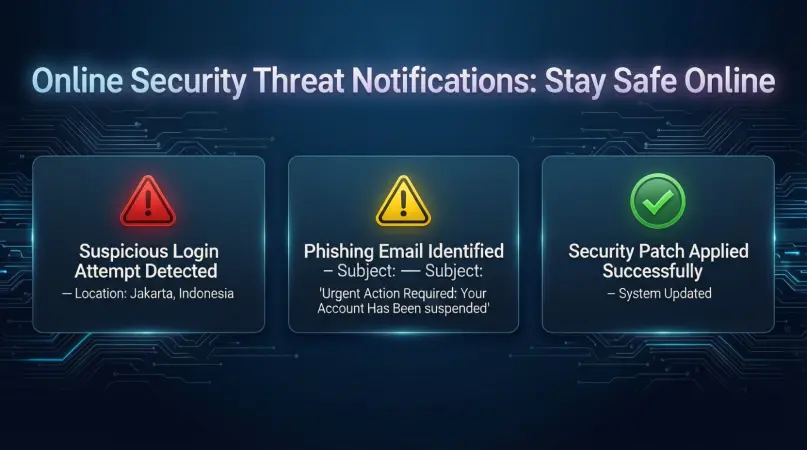
Online security threat notifications are alerts sent to users when potential cybersecurity risks are detected. These threats can include:
- Phishing attempts targeting your email or accounts
- Malware or ransomware trying to access your device
- Suspicious login attempts from unknown locations
- Data breaches affecting your personal information
These notifications are generated by security software, websites, or monitoring services. They aim to provide real-time updates so you can respond immediately. For example, if someone tries to log in to your bank account from a foreign country, a notification can warn you to take action, such as changing your password.
Online security threat notifications work by continuously monitoring digital activity and detecting unusual patterns. Advanced algorithms analyze behavior, device access, and network traffic to identify potential threats. When a risk is detected, the system sends an alert, often accompanied by suggested actions to mitigate the problem.
In simple terms, think of these notifications as a digital alarm system. Just as a home security alarm warns you of a break-in, online security threat notifications alert you to digital intrusions before serious damage occurs.
Why is Online Security Threat Notifications Important?

The importance of online security threat notifications cannot be overstated. Here are the main reasons why every internet user should pay attention to them:
- Early Detection of Threats
These notifications give you a head start in addressing cyber threats. Early detection can prevent hackers from accessing sensitive information. - Protection of Personal Information
Identity theft is a major issue today. Alerts help ensure that your private data, including social security numbers, bank accounts, and passwords, remain safe. - Prevention of Financial Loss
Cybercriminals often target online banking and shopping accounts. Receiving alerts about unusual activity can save you from financial damage. - Enhanced Digital Hygiene
Regular alerts encourage better cybersecurity habits, such as updating passwords, enabling two-factor authentication, and monitoring suspicious emails. - Peace of Mind
Knowing that you have a system monitoring threats reduces stress and makes online activities safer and more enjoyable. - Compliance with Security Policies
For businesses, threat notifications are crucial for meeting cybersecurity regulations and protecting client data.
By understanding and acting on these notifications, both individuals and organizations can significantly reduce the risk of cyber attacks.
Detailed Step-by-Step Guide
Step 1: Choose the Right Security Tools
Before you can receive online security threat notifications, you need reliable security software. Consider these options:
- Antivirus programs – Detect and block malware, ransomware, and viruses.
- Firewall software – Monitors network traffic for suspicious activity.
- Email protection services – Filters phishing emails and spam.
- Password managers – Alert you to compromised passwords.
Step 2: Enable Notifications
Once you have security tools installed, ensure notifications are enabled:
- Open the security software or app settings.
- Look for “alerts” or “notifications.”
- Turn on real-time notifications for suspicious activity.
- Customize alert types based on your priority – e.g., email, SMS, or app push notifications.
Step 3: Understand Notification Types
Different notifications indicate different threats:
- Suspicious login alerts – Someone is trying to access your account from a new device or location.
- Malware detection alerts – Indicates that a harmful file or program was found on your device.
- Phishing warnings – Warns you about potentially fraudulent emails or websites.
- System vulnerability notifications – Alerts about outdated software or security weaknesses.
Step 4: Take Immediate Action
Receiving a notification is just the first step. You must act quickly:
- Change passwords immediately if you detect suspicious logins.
- Scan your device for malware if an alert is triggered.
- Avoid clicking on suspicious links or attachments in emails.
- Update software or apps when vulnerability alerts appear.
Step 5: Maintain Ongoing Monitoring
Threats evolve constantly, so ongoing monitoring is essential:
- Regularly check your security dashboards.
- Set reminders to review security logs weekly.
- Adjust notification preferences as needed to stay informed without feeling overwhelmed.
Step 6: Educate Yourself
Knowledge is your best defense:
- Learn about common scams and cyber attack methods.
- Follow cybersecurity news to understand emerging threats.
- Participate in online safety courses or tutorials for beginners and intermediates.
Benefits of Online Security Threat Notifications
Using online security threat notifications offers numerous advantages:
- Instant alerts to suspicious activity, minimizing damage.
- Improved data protection for personal and financial information.
- Early warning system for phishing and malware attacks.
- Enhanced online habits by encouraging regular monitoring and updates.
- Peace of mind knowing you are protected.
- Compliance support for businesses managing sensitive client data.
Disadvantages / Risks
While online security threat notifications are useful, there are some drawbacks:
- False positives – Sometimes notifications may flag harmless activity as suspicious.
- Notification overload – Too many alerts can lead to ignoring critical warnings.
- Dependence on technology – Relying solely on alerts may reduce personal vigilance.
- Privacy concerns – Some monitoring software may collect user data.
- Cost – High-quality security tools often come with subscription fees.
Being aware of these limitations helps users balance security with convenience.
Common Mistakes to Avoid
- Ignoring Alerts – Many users dismiss notifications thinking they are false alarms. Always investigate.
- Using Weak Passwords – Even with alerts, weak passwords can compromise security.
- Skipping Updates – Software updates often fix security vulnerabilities.
- Clicking Suspicious Links – Never click links from unknown sources, even with notifications enabled.
- Not Customizing Notifications – Default settings may overwhelm or under-inform you. Tailor alerts to your needs.
- Relying on One Security Layer – Combine antivirus, firewalls, and password managers for better protection.
FAQs
1. Are online security threat notifications reliable?
Yes, most modern security tools are reliable, but they are not foolproof. Combining notifications with safe online practices provides the best protection.
2. How quickly should I respond to a threat notification?
You should respond immediately. Prompt action can prevent malware spread, financial loss, or identity theft.
3. Can notifications prevent all cyber attacks?
No, they cannot prevent every attack. They alert you to potential risks, but safe habits and software updates are also essential.
4. Do I need technical knowledge to use these notifications?
No, they are designed to be user-friendly. Alerts usually come with clear instructions on what to do next.
5. Are mobile devices at risk too?
Yes, mobile devices can be targeted by malware, phishing, and ransomware. Enable threat notifications on your phone and tablet.
6. How can I avoid false alarms?
Customize notification settings and keep your security software updated. Over time, the system learns to reduce false positives.
7. Are free security tools enough for notifications?
Free tools can provide basic alerts, but premium software often offers real-time monitoring, advanced detection, and detailed guidance.
8. Can businesses use these notifications?
Absolutely. Companies can monitor employee accounts, sensitive data, and system vulnerabilities to stay compliant and secure.
Expert Tips & Bonus Points
- Enable Two-Factor Authentication – Adds an extra layer of protection even if a password is compromised.
- Regularly Review Security Logs – Helps identify patterns of suspicious activity over time.
- Keep Backups – Secure backups protect against ransomware and accidental data loss.
- Educate Family or Employees – Teaching others about notifications increases overall security.
- Use Password Managers – Alerts from compromised credentials can help you act quickly.
- Segment Accounts – Avoid using the same password for multiple accounts to reduce risk.
- Stay Informed About Cyber Threats – Following trusted cybersecurity sources ensures you’re aware of new risks.
Conclusion
Online security threat notifications are an essential part of digital safety in today’s connected world. They act as early warning systems, protecting your personal information, finances, and devices from potential cyber threats. By understanding the types of notifications, enabling real-time alerts, and taking immediate action, anyone can significantly reduce their exposure to online risks.
While no system is perfect, combining notifications with safe online practices, strong passwords, software updates, and user awareness creates a robust defense. Avoid common mistakes, customize your alerts, and take advantage of advanced tools to maximize protection.