
Introduction
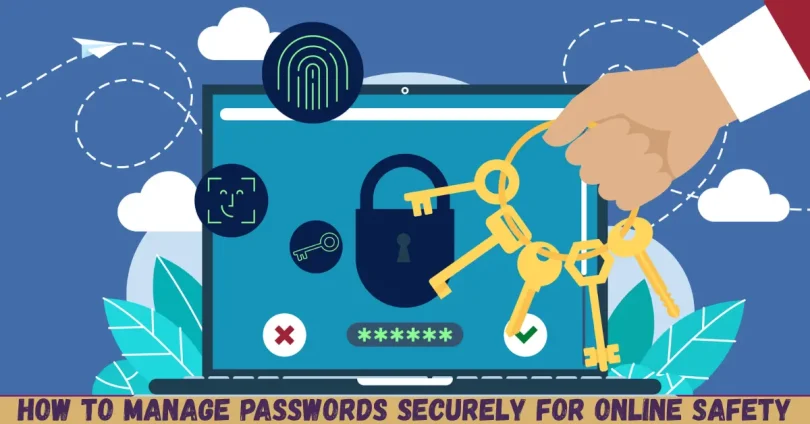
In today’s digital world, learning how to manage passwords securely is no longer optional. Every day, people create accounts for email, banking, shopping, social media, and work tools. Each account holds personal or financial data that hackers actively try to steal. Unfortunately, many users still rely on weak passwords, reuse the same password everywhere, or store login details in unsafe places.
If you have ever forgotten a password, reused one for convenience, or clicked “save password” without thinking, you are not alone. The good news is that secure password management does not have to be complicated. With the right habits, tools, and awareness, anyone can protect their online identity effectively.
What Is How to Manage Passwords Securely?
How to manage passwords securely means creating, storing, and using passwords in a way that protects your online accounts from unauthorized access. It is not just about choosing a strong password once. Instead, it involves a complete system of habits and tools that work together.
Secure password management includes using unique passwords for each account, making them hard to guess, and keeping them safe from others. It also means updating passwords when needed and avoiding risky behavior that could expose your credentials.
For example, writing passwords on paper or using the same password for email and banking is unsafe. On the other hand, using a password manager, enabling extra security layers, and staying alert to threats are smart practices.
In simple terms, password security is about reducing risk. The better your system, the harder it becomes for attackers to break into your accounts. Learning how to manage passwords securely helps you stay protected in an increasingly connected world.
Why Is How to Manage Passwords Securely Important?
Understanding how to manage passwords securely is important because passwords are the first line of defense for your digital life. When one password is compromised, it can open the door to multiple accounts if you reuse it.
Cybercriminals use automated tools that test millions of password combinations in seconds. Weak or reused passwords are easy targets. Once attackers gain access, they may steal money, lock you out of accounts, or misuse your identity.
Password security also affects your privacy. Emails, photos, messages, and documents can be exposed without your knowledge. For businesses and freelancers, poor password habits can lead to data breaches and loss of trust.
By managing passwords properly, you reduce stress and save time. You spend less time recovering accounts and more time using technology safely. In short, strong password management protects your money, privacy, and peace of mind.
Detailed Step-by-Step Guide
Step 1: Create Strong and Unique Passwords
The first step in learning how to manage passwords securely is creating strong passwords. A strong password is long, complex, and unique.
Use at least 12 to 16 characters. Combine uppercase letters, lowercase letters, numbers, and symbols. Avoid names, dates, or common words.
For example, instead of “Password123,” use something like “R7m!Q9@xL2#K”. This type of password is much harder to crack.
Never reuse the same password across different accounts. Each account should have its own unique password.
Step 2: Use a Trusted Password Manager
Remembering many strong passwords is difficult. That is why password managers are essential. They securely store all your passwords in one encrypted vault.
With a password manager, you only need to remember one master password. The tool fills in login details automatically and generates strong passwords for you.
This approach reduces human error and improves consistency. It is one of the easiest ways to practice how to manage passwords securely every day.
Step 3: Protect Your Master Password
Your master password is the key to all stored credentials. Make it strong and memorable only to you.
Avoid sharing it with anyone. Do not store it in plain text or send it through messages. If possible, memorize it instead of writing it down.
A strong master password ensures that even if someone accesses your device, your passwords remain protected.
Step 4: Enable Two-Factor Authentication
Two-factor authentication adds an extra layer of security. Even if someone steals your password, they still need a second verification step.
This step could be a code sent to your phone, an app-generated code, or a biometric scan.
Enable this feature wherever possible, especially for email, banking, and cloud services. It greatly strengthens your password strategy.
Step 5: Update Passwords Regularly
Regular updates reduce long-term risk. Change passwords for critical accounts every few months or after a security alert.
If a service reports a data breach, update your password immediately. Also, avoid making small changes like adding a number at the end.
Fresh, strong passwords keep your accounts safer over time.
Step 6: Secure Your Devices
Even strong passwords are useless if your device is compromised. Lock your phone and computer with secure methods.
Keep software and operating systems updated. Use antivirus tools if needed. Avoid logging in on shared or public devices.
Device security is a key part of how to manage passwords securely in real life.
Benefits of How to Manage Passwords Securely
- Protects personal and financial information
- Reduces the risk of identity theft
- Saves time by avoiding account recovery
- Improves overall online safety
- Increases confidence when using digital services
- Supports safe work and business practices
Disadvantages / Risks
- Requires initial setup time
- Learning new tools may feel confusing
- Master password loss can cause access issues
- Overreliance on one tool may create risk
- Neglecting updates can reduce effectiveness
Common Mistakes to Avoid
Many people make simple mistakes that weaken password security. One common error is reusing passwords across multiple accounts. This practice increases damage if one account is breached.
Another mistake is choosing short or predictable passwords. Hackers easily guess these using automated tools.
Storing passwords in browsers without protection is also risky, especially on shared devices. Similarly, sending passwords through messages or email exposes them to interception.
Finally, ignoring security alerts or data breach warnings puts accounts at risk. Avoid these mistakes to strengthen your approach to how to manage passwords securely.
FAQs
What is the safest way to store passwords?
The safest way is using a reputable password manager with strong encryption. It keeps passwords secure and accessible only to you.
How often should I change my passwords?
Change critical passwords every three to six months or immediately after a security breach notification.
Are password managers safe to use?
Yes, when chosen carefully. Trusted managers use encryption and security audits to protect your data.
Can I write passwords down on paper?
It is not recommended. Physical notes can be lost or stolen, making accounts vulnerable.
Is two-factor authentication really necessary?
Yes. It significantly reduces the risk of unauthorized access even if your password is compromised.
What should I do if my password is stolen?
Change it immediately, enable extra security features, and monitor the account for suspicious activity.
Expert Tips & Bonus Points
Use passphrases made of random words for better memorability and strength.
Avoid logging into sensitive accounts on public Wi-Fi without protection.
Review account activity regularly for unusual behavior.
Use different email addresses for critical services when possible.
Teach family members basic password habits to improve overall security.
Conclusion
Learning how to manage passwords securely is one of the most valuable digital skills you can develop today. Passwords protect your identity, money, and private information. Without proper management, even advanced technology cannot keep you safe.
The process does not need to be difficult. By creating strong passwords, using a password manager, enabling extra security layers, and avoiding common mistakes, you can greatly reduce online risks. These steps work together to form a reliable and practical system.