
Introduction
In today’s digital world, our devices are constantly under threat from harmful software. Malware and virus warnings are alerts that your system or browser sends to indicate the presence of malicious files or suspicious activity. Understanding these warnings is crucial for both beginners and intermediate users, as ignoring them can lead to serious consequences, including data theft, system crashes, or even financial loss.
Malware and viruses can infect computers, smartphones, and even smart devices in your home. They often disguise themselves as harmless files, downloads, or apps, making it challenging to identify them without proper awareness. These threats are not limited to large corporations; even personal devices are frequent targets for hackers and cybercriminals.
What is Malware and Virus Warnings?
Malware is short for malicious software designed to harm, steal, or exploit devices. Viruses are a type of malware that can spread from one device to another, often through infected files or downloads.
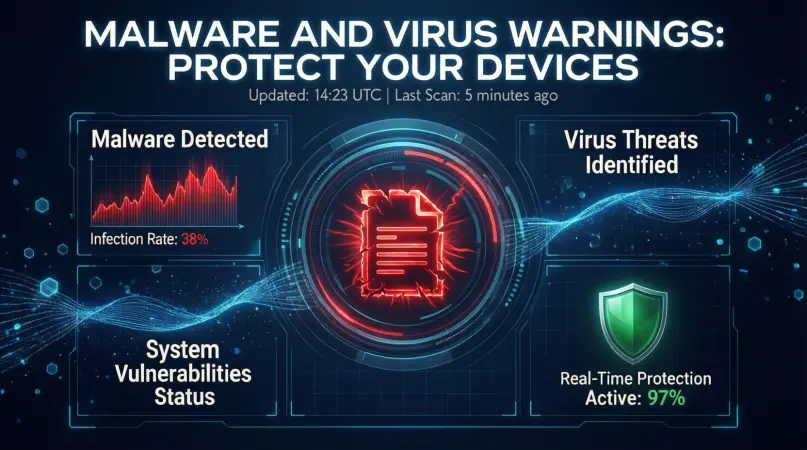
A malware and virus warning is a notification generated by your antivirus software, operating system, or web browser when a potential threat is detected. These warnings can appear as pop-ups, system alerts, or browser notifications. They may indicate:
- Suspicious files on your device
- Unsafe websites or downloads
- Unauthorized attempts to access your system
- Emails containing harmful attachments
The warning is essentially your computer or device telling you, “Something is wrong, take action now.” Ignoring these warnings can allow malware to damage your files, slow down your device, or even compromise sensitive information like passwords and banking data.
Why is Malware and Virus Warnings Important?
Malware and virus warnings are essential for several reasons:
- Protects personal data – Warnings help prevent sensitive information from being stolen by hackers.
- Prevents system damage – Early detection can stop malware from corrupting files or crashing your system.
- Maintains device performance – Malware often slows down your device. Warnings allow you to act before performance is affected.
- Avoids financial loss – Some malware is designed to steal banking information or credit card details. Acting on warnings can save money.
- Prevents further infection – If a virus spreads to other devices on a network, it can cause extensive damage.
In short, these warnings are the first line of defense against cyber threats. Paying attention to them is crucial for both individual users and organizations.
Detailed Step-by-Step Guide

Step 1: Recognize the Warning
- Pay attention to unusual pop-ups or alerts from antivirus software.
- Common signs include sudden system slowdowns, unknown files, or frequent crashes.
- Be cautious of fake warnings. Scammers sometimes create fake alerts to trick users into downloading malware.
Step 2: Identify the Threat
- Check the alert for details: the file name, website, or process flagged.
- Use reputable antivirus or anti-malware software to scan your device.
- If unsure, do not click “Ignore” or “Allow” without confirmation.
Step 3: Disconnect from the Internet
- Disconnecting prevents the malware from sending data to hackers or spreading.
- Turn off Wi-Fi or unplug the network cable.
- Avoid logging into accounts until the threat is resolved.
Step 4: Remove the Malware
- Use your antivirus software to quarantine or delete the malicious files.
- Some malware may require a full system scan in safe mode.
- Follow software instructions carefully to ensure complete removal.
Step 5: Update Software and Systems
- Ensure your operating system and apps are up-to-date.
- Many malware attacks exploit outdated software vulnerabilities.
- Enable automatic updates for continuous protection.
Step 6: Change Passwords
- After removing malware, change passwords for important accounts.
- Use strong, unique passwords for each account.
- Consider using a password manager for better security.
Step 7: Backup Important Data
- Regular backups protect your files in case of future infections.
- Use external drives or cloud storage.
- Ensure backups are scanned for malware before restoring.
Benefits of Paying Attention to Malware and Virus Warnings
- Early detection of threats – Helps prevent major system damage.
- Improved security – Keeps sensitive information safe.
- Reduced risk of financial loss – Avoids identity theft and scams.
- Better device performance – Malware-free devices run faster and more efficiently.
- Peace of mind – Knowing you are protected reduces stress about cyber threats.
Disadvantages / Risks
- Ignoring warnings can lead to infection – One click can compromise your system.
- False sense of security – Some users rely solely on warnings, ignoring other security measures.
- Potential for fake warnings – Scammers may use fake pop-ups to steal information.
- Data loss during removal – Improper removal can delete important files.
- Time-consuming scans – Full system scans may slow down devices temporarily.
Common Mistakes to Avoid
- Clicking suspicious links – Never click pop-ups claiming your system is infected without verifying.
- Ignoring updates – Outdated software makes you vulnerable.
- Using untrusted antivirus – Only use reputable software with proven track records.
- Sharing personal information – Avoid providing passwords or banking info during alerts.
- Not backing up files – Data may be permanently lost if malware spreads.
FAQs
1. How do I know if a malware warning is real?
Real warnings come from your antivirus or operating system. Check the source of the alert and avoid clicking on pop-ups from unknown websites.
2. Can malware infect mobile devices?
Yes. Mobile malware exists and can steal personal data, slow down your device, or send spam messages. Install mobile security apps for protection.
3. What is the difference between a virus and malware?
A virus is a type of malware that spreads from device to device, often via files. Malware is a broader term, including viruses, spyware, ransomware, and adware.
4. Can I remove malware without antivirus software?
Some malware can be manually removed, but using trusted antivirus software is safer and more effective. Manual removal may risk leaving residual files.
5. How often should I scan my device?
Regular scans are recommended weekly, with full system scans monthly. Real-time protection should remain enabled.
6. What should I do if my antivirus misses a threat?
Try a second reputable malware scanner. Consider safe mode scans or seek professional help to prevent further damage.
7. Is it safe to ignore minor malware warnings?
No. Even minor threats can escalate. Always take warnings seriously and follow proper removal steps.
8. Can malware damage hardware?
Most malware targets software and data. However, ransomware or firmware attacks may affect hardware indirectly. Preventive measures are crucial.
Expert Tips & Bonus Points
- Enable real-time protection – Most antivirus software offers real-time scanning to catch threats instantly.
- Avoid pirated software – Illegitimate programs often contain malware.
- Be cautious with email attachments – Scan all files before opening, especially from unknown senders.
- Use strong passwords – Complex passwords prevent unauthorized access if malware tries to steal login information.
- Educate yourself continuously – Cyber threats evolve, so stay updated with new malware trends.
- Consider VPN for public Wi-Fi – A VPN adds extra security on public networks.
- Regularly review browser extensions – Remove untrusted add-ons that may be malicious.
- Test backups periodically – Ensure backups are functional and malware-free.
Conclusion
Understanding and responding to malware and virus warnings is essential in today’s digital landscape. These warnings act as your first line of defense, alerting you to potential threats before they cause severe damage. By recognizing the signs, using trusted antivirus software, and following proper removal procedures, you can protect your devices, personal information, and financial data from cybercriminals.
Prevention is always better than cure. Updating software, practicing safe browsing habits, backing up data, and educating yourself about new threats are crucial steps for maintaining a secure digital life. Remember, even minor negligence, such as ignoring a warning or clicking a suspicious link, can have serious consequences.