
Introduction
In today’s digital world, almost everything we do online leaves a trail of personal information. From social media accounts to online banking, your data is constantly at risk. Hackers, scammers, and even careless websites can expose your sensitive information, leading to identity theft, financial loss, or privacy breaches. That’s why it is essential to secure your personal data online.
Securing personal data may seem complicated, especially if you are not tech-savvy. However, with the right strategies and habits, anyone can protect their information. This guide is designed for beginners and intermediate users, providing easy-to-follow steps to enhance your online safety. We will explain what securing your personal data means, why it matters, and the practical actions you can take immediately. By the end, you will have a clear roadmap to reduce risks, strengthen your privacy, and confidently navigate the digital world.
What is Secure Your Personal Data Online?
To secure your personal data online means to take deliberate steps to protect the information you share or store on the internet. Personal data includes your:
- Full name, address, and phone number
- Financial information such as bank accounts or credit cards
- Login credentials for email and social media accounts
- Health records, personal documents, and photos
When this information is not properly secured, it can be stolen, misused, or sold without your consent. Securing personal data involves using tools, techniques, and behaviors that reduce these risks.
Common methods include strong passwords, encryption, secure networks, and cautious sharing of information. Essentially, it is about controlling access to your data and ensuring that only trusted parties can use it.
Why is Secure Your Personal Data Online Important?
Protecting personal data online is crucial for several reasons:
- Prevent Identity Theft: Hackers can use your personal information to open accounts, make purchases, or even commit crimes in your name.
- Protect Financial Assets: Sensitive banking or credit card data can be stolen, leading to significant financial loss.
- Maintain Privacy: Your personal life should remain private. Without protection, strangers can access personal details, messages, or photos.
- Avoid Scams: Cybercriminals use personal data to send phishing emails or fake messages, tricking users into sharing even more information.
- Ensure Online Reputation: Leaked information can damage personal or professional reputation. Once data is online, it’s hard to remove.
- Compliance and Legal Protection: For businesses, securing personal data ensures compliance with regulations like GDPR, protecting against legal issues.
Understanding these risks makes it clear why taking action to secure your personal data is not optional but necessary in the digital age.
Detailed Step-by-Step Guide
Here’s a comprehensive guide to secure your personal data online, broken into practical steps.
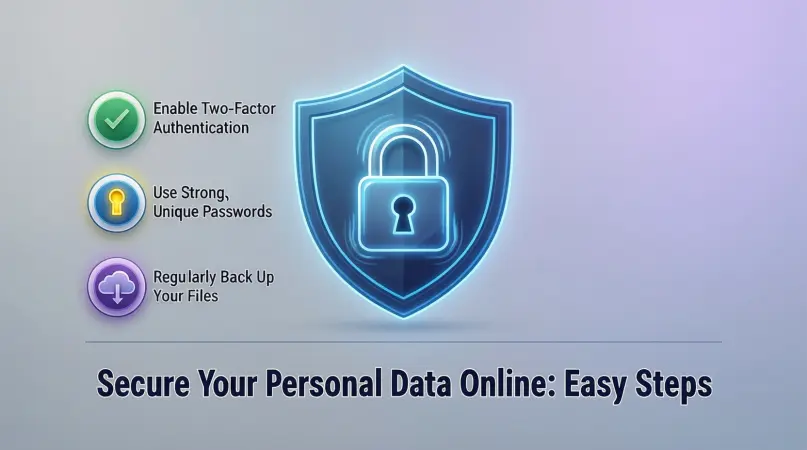
Step 1: Use Strong and Unique Passwords
- Avoid using common passwords like “123456” or “password.”
- Create a unique password for every account using a mix of letters, numbers, and symbols.
- Use a password manager to store and generate secure passwords.
Example: Instead of “John123,” use “J0hn$P@ssw0rd2026!”
Step 2: Enable Two-Factor Authentication (2FA)
- 2FA adds an extra layer of security beyond passwords.
- Use authentication apps like Google Authenticator or SMS verification.
- Always enable 2FA for email, social media, and banking accounts.
Step 3: Keep Software and Devices Updated
- Regularly update your operating system, apps, and antivirus software.
- Updates fix vulnerabilities that hackers exploit.
- Enable automatic updates wherever possible.
Step 4: Secure Your Internet Connection
- Use a trusted Virtual Private Network (VPN) when on public Wi-Fi.
- Avoid connecting to unsecured networks.
- Ensure your home Wi-Fi has a strong password and WPA3 encryption.
Step 5: Be Cautious with Sharing Personal Information
- Avoid oversharing on social media.
- Do not provide sensitive information to unknown websites or emails.
- Check privacy settings on apps to control who can see your data.
Step 6: Use Encryption and Secure Storage
- Encrypt sensitive files on your devices.
- Use secure cloud storage services with encryption.
- Regularly back up important data offline.
Step 7: Recognize Phishing and Scams
- Be skeptical of unsolicited emails or messages asking for personal information.
- Look for signs like spelling mistakes, fake URLs, or urgent requests.
- Verify websites before entering login or payment details.
Step 8: Monitor Accounts Regularly
- Check bank statements and online accounts for unusual activity.
- Set up notifications for login attempts or transactions.
- Use services that monitor if your data has been compromised online.
Benefits of Securing Your Personal Data Online
- Prevent identity theft and fraud
- Protect financial information
- Maintain personal privacy and security
- Avoid scams and phishing attacks
- Preserve online reputation
- Gain peace of mind in digital activities
Disadvantages / Risks
- Some security tools may cost money (VPNs, premium password managers)
- Too many passwords can be hard to remember without a manager
- Overly cautious behavior may limit convenience online
- Security breaches can still happen despite precautions
- Improper backup or encryption may lead to data loss
Common Mistakes to Avoid
- Reusing Passwords Across Accounts: Makes multiple accounts vulnerable if one is hacked.
- Ignoring Updates: Vulnerabilities remain unpatched.
- Clicking Unknown Links: Leads to phishing attacks.
- Sharing Too Much Online: Oversharing can expose sensitive data.
- Not Using 2FA: Missed extra layer of protection.
- Weak Security on Devices: Lack of antivirus or unsecured Wi-Fi increases risk.
FAQs
1. How do I know if my personal data is compromised?
You may notice unusual account activity, unexpected emails, or login alerts. Use data breach monitoring services to check.
2. Can a VPN fully secure my online data?
A VPN encrypts your internet traffic, especially on public networks, but it doesn’t protect against phishing or malware. Combine it with other security measures.
3. Are password managers safe?
Yes, reputable password managers encrypt stored passwords and generate strong, unique passwords for every account.
4. Should I avoid free public Wi-Fi completely?
It’s safer to use public Wi-Fi with a VPN. Avoid logging into sensitive accounts on untrusted networks.
5. How often should I update my passwords?
Every 3–6 months is recommended, or immediately if a service you use reports a data breach.
6. Is encrypting files necessary for personal use?
Yes, especially for sensitive data like financial documents, personal photos, or work files. It protects against unauthorized access.
7. Can social media privacy settings protect me completely?
No, while they limit visibility, they cannot prevent data breaches or information leakage from other sources.
8. Are antivirus programs still important?
Absolutely. They detect malware, prevent attacks, and add an additional layer of security.
Expert Tips & Bonus Points
- Regularly audit all connected apps and accounts, removing unused or risky ones.
- Consider using disposable email addresses for newsletters or online sign-ups.
- Avoid storing sensitive information like passwords in browsers; use password managers instead.
- Educate family and friends about online safety, especially children or elderly users.
- Backup critical data in multiple locations, including offline drives.
- Review privacy policies of apps and websites before sharing personal information.
Conclusion
Securing your personal data online is no longer optional—it is a necessity. With cybercrime on the rise, simple habits like using strong passwords, enabling 2FA, and being cautious online can make a significant difference. Protecting your personal data ensures financial security, privacy, and peace of mind in your digital life.
Remember, security is a continuous process. Stay vigilant, keep your devices updated, and always think before sharing information online. By following these steps and avoiding common mistakes, you take control of your personal data and reduce risks significantly. Whether you are a beginner or an intermediate internet user, implementing these strategies will help you enjoy the benefits of technology safely and confidently. Your digital privacy is in your hands—start protecting it today.