Introduction
Online security has become a serious concern for everyone who uses the internet. From email accounts and social media profiles to banking apps and work tools, our digital lives are constantly at risk. Hackers no longer rely only on advanced tricks. In many cases, they break into accounts simply by guessing weak passwords or stealing them through scams. That is why learning how to protect your accounts is no longer optional.
This two-factor authentication guide is written to help beginners and intermediate users understand one of the most effective security tools available today. Two-factor authentication, often called 2FA, adds an extra layer of protection beyond your password. Even if someone knows your password, they still cannot access your account without a second verification step.
What Is Two-Factor Authentication?
Two-factor authentication is a security method that requires two different forms of verification before granting access to an account. Instead of relying only on a password, it asks for an additional proof of identity.
The first factor is usually something you know, such as a password or PIN. The second factor is something you have or something you are. This could be a code sent to your phone, a fingerprint, or an authentication app.
For example, when you log in to an email account, you enter your password. Then, you receive a one-time code on your phone that you must enter to complete the login. Without that second code, access is denied.
This two-factor authentication guide focuses on practical understanding. The goal of 2FA is simple. It reduces the chances of unauthorized access, even if your password is stolen or guessed.
Why Is Two-Factor Authentication Important?
Passwords alone are no longer enough. Many people reuse the same password on multiple websites. If one site is hacked, attackers can try the same password elsewhere.
Two-factor authentication protects against this risk. Even if a hacker has your password, they still need the second factor to get in. This extra step blocks most automated attacks and phishing attempts.
Another reason 2FA is important is human error. People sometimes click on fake links or enter passwords on unsafe websites. A second verification step acts as a safety net.
This two-factor authentication guide emphasizes prevention. Using 2FA greatly reduces the risk of account takeovers, identity theft, and financial loss. For businesses, it also protects sensitive data and customer information.
Detailed Step-by-Step Guide
Step 1: Choose Accounts That Need Protection
Start with your most important accounts. These usually include email, banking, cloud storage, social media, and work-related tools.
Email accounts should be the top priority. Many password reset links are sent by email, making it a key target for attackers.
Step 2: Check Available 2FA Options
Most services offer multiple two-factor authentication methods. Common options include SMS codes, authentication apps, email codes, and biometric verification.
Review the options carefully. This two-factor authentication guide recommends using app-based authentication whenever possible because it is more secure than SMS.
Step 3: Enable Two-Factor Authentication
Go to the security or account settings of the service. Look for options labeled two-factor authentication, two-step verification, or extra security.
Follow the on-screen instructions. You may need to confirm your password and then choose your preferred second factor.
Step 4: Set Up an Authentication App
Authentication apps generate time-based codes on your device. Popular examples include general authenticator apps that work offline.
Scan the QR code provided by the service. The app will then generate a six-digit code that refreshes every few seconds.
Step 5: Save Backup Codes
Most platforms provide backup codes during setup. These codes are used if you lose access to your phone or app.
Store them securely offline. Do not save them in plain text on your computer or email.
Step 6: Test Your Setup
Log out and try logging back in. Make sure the second factor works correctly.
Testing ensures you will not face issues later. This step is often skipped but is very important.
Benefits of Two-Factor Authentication
- Adds an extra layer of security beyond passwords
- Protects accounts even if passwords are stolen
- Reduces the risk of phishing and brute-force attacks
- Builds better online security habits
- Increases trust for business and professional accounts
- Easy to set up and use on most platforms
Disadvantages / Risks
- Requires access to a second device or method
- Can be inconvenient in areas with poor connectivity
- Risk of being locked out if backup options are not saved
- SMS-based 2FA can be vulnerable to SIM swapping
- Initial setup may feel confusing for beginners
Common Mistakes to Avoid
One common mistake is relying only on SMS codes. While better than nothing, SMS is less secure than app-based methods.
Another mistake is not saving backup codes. Losing your phone without backups can lock you out permanently.
Some users disable 2FA because it feels inconvenient. This two-factor authentication guide strongly advises against that choice.
Reusing the same authentication app without securing your phone is also risky. Always use a device lock.
FAQs
What is the difference between 2FA and MFA?
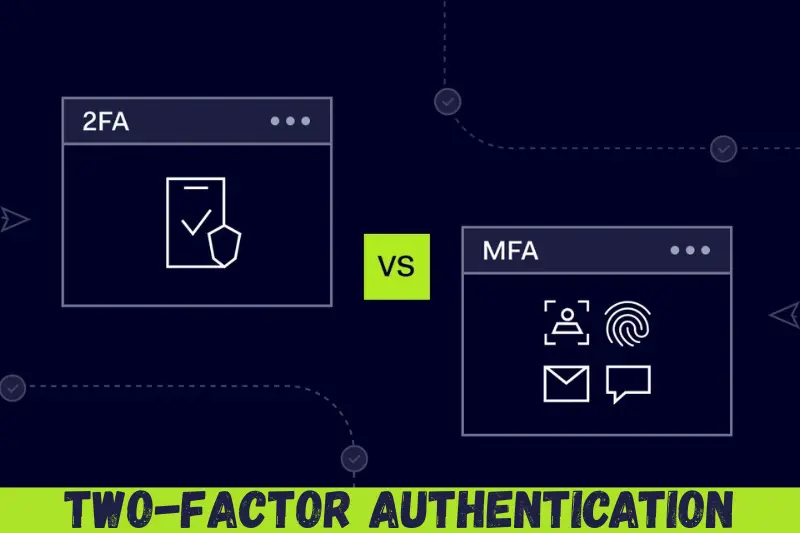
Two-factor authentication uses exactly two factors. Multi-factor authentication may use more than two. Both improve security.
Is two-factor authentication really necessary?
Yes, especially for important accounts. Passwords alone are not enough in today’s threat landscape.
Can hackers bypass two-factor authentication?
It is very difficult but not impossible. However, 2FA stops the majority of common attacks.
What if I lose my phone?
Use backup codes or recovery options. This is why saving backups is critical.
Is app-based 2FA better than SMS?
Yes. Authentication apps are more secure and do not rely on mobile networks.
Does two-factor authentication slow down login?
It adds a few seconds, but the security benefits far outweigh the small delay.
Expert Tips & Bonus Points
Use different authentication apps for personal and work accounts if possible. This reduces risk.
Always keep your phone updated with the latest security patches.
Review your account security settings every few months. Remove old devices you no longer use.
This two-factor authentication guide also recommends combining 2FA with strong, unique passwords.
For advanced users, consider hardware security keys for maximum protection.
Conclusion
Online threats continue to grow, and relying only on passwords is no longer safe. Accounts are targeted every day, and even careful users can fall victim to data breaches or phishing scams. That is why adding an extra layer of security is one of the smartest decisions you can make.
This two-factor authentication guide explained the concept in simple terms and showed how easy it is to set up. By using two different forms of verification, you greatly reduce the chances of unauthorized access. Even if someone steals your password, they will still be stopped.