
Introduction
In today’s digital world, online accounts are part of everyday life. We use them for email, banking, shopping, work tools, and social platforms. Because of this, protecting login information has become more important than ever. Secure login techniques help users keep their accounts safe from hackers, data theft, and unauthorized access. Without proper protection, even a strong system can be compromised easily.
Many beginners believe that using a password is enough. However, cyber threats have evolved, and attackers now use advanced methods to break into accounts. From phishing emails to brute force attacks, risks are everywhere. This is why learning secure login techniques is no longer optional. It is a basic online skill for everyone.
What Is Secure Login Techniques?
Secure login techniques are methods used to verify a user’s identity before granting access to an account or system. These techniques ensure that only authorized users can log in, even if someone else tries to steal their information. The goal is to add layers of protection beyond a simple username and password.
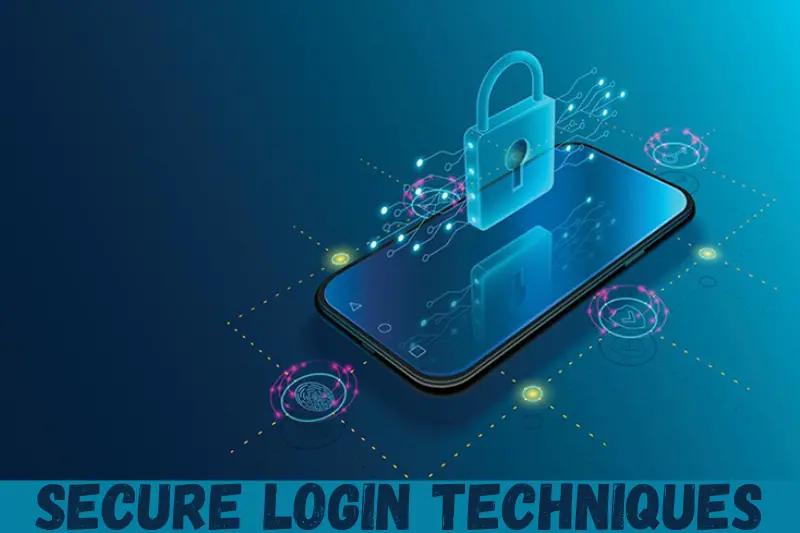
At the most basic level, secure login involves creating strong passwords. However, modern security goes further. It includes tools like two-factor authentication, biometric verification, login alerts, and device recognition. Each method works together to reduce the chances of unauthorized access.
For example, if someone knows your password but does not have access to your phone or fingerprint, they still cannot log in. This layered approach is what makes secure login techniques effective. They focus on prevention, detection, and response.
These techniques are used by websites, apps, banks, and workplaces. Even personal users can apply them to protect email and social media accounts. Understanding how they work is the first step toward better online security.
Why Is Secure Login Techniques Important?
Secure login techniques are important because cyber threats are increasing every year. Hackers target weak login systems because they are easy to exploit. Once inside, attackers can steal data, money, or even your identity.
Another reason is data privacy. Many accounts store sensitive information such as addresses, payment details, and personal messages. A single breach can cause long-term damage. Secure login methods help keep this information private.
Businesses also rely on secure login systems to protect customer data and internal resources. A security breach can harm reputation, cause financial loss, and lead to legal problems. For individuals, it can result in stress and lost trust.
Most importantly, secure login techniques give users control. Instead of reacting to problems, you prevent them. With the right methods in place, logging in becomes safer without being complicated. This balance of security and convenience is why secure login practices matter so much today.
Detailed Step-by-Step Guide
Step 1: Create Strong and Unique Passwords
A strong password is the foundation of secure login techniques. It should be long, unique, and hard to guess. Avoid using names, birthdays, or common words.
Use a mix of uppercase letters, lowercase letters, numbers, and symbols. Each account should have a different password. This way, if one account is compromised, others remain safe.
Password managers can help store and generate strong passwords. They reduce the need to remember everything while keeping data secure.
Step 2: Enable Two-Factor Authentication
Two-factor authentication adds an extra step to the login process. After entering your password, you must provide a second proof. This could be a code sent to your phone or an authentication app.
This method greatly improves security. Even if someone steals your password, they cannot log in without the second factor. Many platforms now offer this option, and it should always be enabled.
Two-factor authentication is one of the most effective secure login techniques available today.
Step 3: Use Biometric Authentication
Biometric authentication uses physical traits such as fingerprints or facial recognition. These traits are unique and difficult to copy.
Many smartphones and laptops support biometrics. Using them makes login faster and safer. It also reduces the risk of password theft.
Biometrics should be used along with other secure login methods for best results.
Step 4: Secure Your Devices
Even the best login system can fail if your device is not secure. Always lock your devices with a PIN or password. Keep operating systems and apps updated.
Install security software and avoid using public computers for sensitive logins. Device security is an important part of secure login techniques.
Step 5: Watch for Phishing Attempts
Phishing is a common attack where fake emails or messages trick users into sharing login details. Always check the sender’s address and avoid clicking suspicious links.
Never enter login details on unfamiliar websites. Secure login techniques include awareness and careful behavior.
Step 6: Monitor Login Activity
Many services allow you to review recent login activity. Check this regularly for unknown devices or locations.
Enable login alerts so you are notified of suspicious activity. Early detection can prevent serious damage.
Benefits of Secure Login Techniques
- Protects personal and financial information
- Reduces risk of identity theft
- Prevents unauthorized account access
- Builds trust in online services
- Improves overall digital safety
- Saves time by avoiding recovery issues
Disadvantages / Risks
- May require extra steps during login
- Can be confusing for beginners
- Dependence on devices for authentication
- Risk of lockout if recovery options are ignored
Common Mistakes to Avoid
One common mistake is reusing passwords across multiple accounts. This makes it easy for attackers to access everything at once.
Another mistake is ignoring updates. Outdated systems often have known security flaws. Always keep software current.
Many users also disable security features for convenience. This weakens secure login techniques and increases risk.
Finally, sharing login details with others is dangerous. Even trusted people can accidentally expose your information.
FAQs
What are secure login techniques in simple terms?
Secure login techniques are methods that protect accounts by verifying the user’s identity. They go beyond passwords to include extra checks like codes or biometrics.
Are passwords alone enough for security?
No, passwords alone are not enough. Secure login techniques work best when multiple layers of protection are used together.
Is two-factor authentication difficult to use?
Two-factor authentication is simple once set up. It adds a small step but greatly improves security.
Can secure login techniques slow down access?
They may add a few seconds, but the protection they provide is worth it. Many methods are fast and user-friendly.
Are biometric logins safe?
Biometric logins are generally safe and convenient. They should be combined with other secure login techniques.
How often should I update my security settings?
Review security settings every few months or after any suspicious activity. Regular checks help maintain strong protection.
Expert Tips & Bonus Points
Always use a password manager to reduce human error. It helps maintain strong and unique passwords.
Enable account recovery options like backup codes. This prevents lockouts when devices are lost.
Educate yourself regularly about new threats. Secure login techniques evolve, and staying informed is key.
Use separate accounts for work and personal use. This limits damage if one account is compromised.
Conclusion
Secure login techniques are essential for anyone who uses the internet. As online threats continue to grow, relying on basic passwords is no longer enough. Strong security requires a combination of smart habits, modern tools, and awareness. By applying secure login techniques, users can protect their data, privacy, and peace of mind.
This guide has shown how simple steps like strong passwords, two-factor authentication, and device security can make a big difference. Even beginners can apply these methods without technical skills. The key is consistency and attention to detail.