
Introduction
In today’s digital world, almost everyone uses online accounts for email, banking, shopping, and social media. However, as online use grows, cybercrime grows too. Hackers are always looking for weak accounts to break into and misuse. That is why learning how to protect accounts from hacks is no longer optional. It is a basic online survival skill.
Many people believe hacking only happens to big companies or famous people. In reality, regular users are often the easiest targets. Weak passwords, fake emails, and unsafe networks make accounts vulnerable. Once hacked, an account can be used to steal money, spread scams, or access private data. Recovering a hacked account can be stressful and time-consuming.
What Is Protect Accounts From Hacks?
Protect accounts from hacks means taking steps to keep your online accounts safe from unauthorized access. It involves using security measures that stop hackers from logging in, stealing data, or changing account settings without permission.
Online accounts include email, social media, banking apps, cloud storage, and shopping websites. Each account stores personal or financial information. Hackers try to break in using stolen passwords, fake messages, or malware.
Account protection focuses on prevention. It includes creating strong passwords, enabling extra security layers, and staying alert to threats. The goal is to make hacking difficult and unattractive for attackers.
In simple terms, when you protect accounts from hacks, you control who can access your digital life. You reduce risks and keep your information private and secure.
Why Is Protect Accounts From Hacks Important?
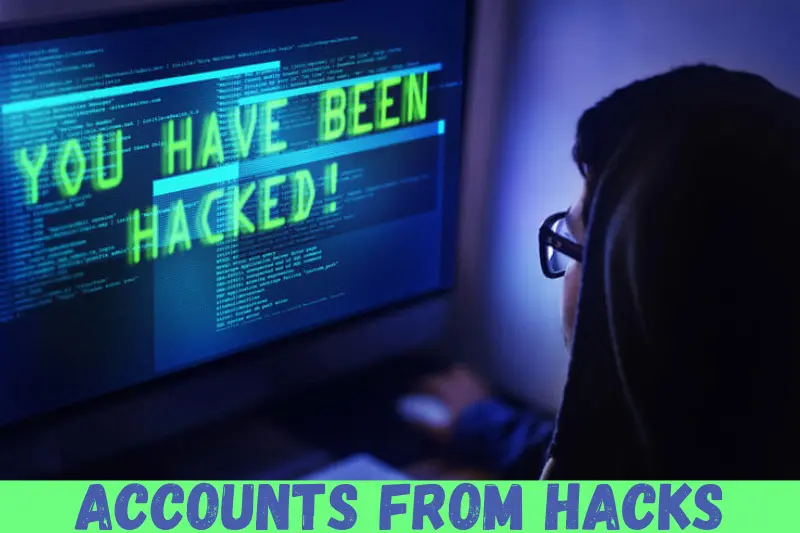
Account security is important because online accounts hold valuable information. A single hacked account can lead to serious problems that affect both personal and professional life.
First, hackers can steal money from bank or payment accounts. Second, they can misuse personal data for identity theft. Third, hacked social accounts can spread scams to friends and family.
Protecting accounts also saves time and stress. Recovering access after a hack can take days or weeks. In some cases, accounts are permanently lost.
For businesses and freelancers, hacked accounts can damage reputation and trust. Clients may lose confidence if data is leaked. Therefore, learning how to protect accounts from hacks is essential for everyone.
Detailed Step-by-Step Guide
Step 1: Create Strong and Unique Passwords
Passwords are the first line of defense. Weak passwords are easy to guess or crack.
Follow these tips:
- Use at least twelve characters
- Combine letters, numbers, and symbols
- Avoid names, birthdays, or common words
- Use a different password for each account
For example, instead of “password123,” use a longer and mixed phrase. Unique passwords prevent one hack from affecting all accounts.
Step 2: Enable Two-Factor Authentication
Two-factor authentication adds an extra security step. After entering a password, you must confirm login using a code or app.
Common options include:
- SMS verification codes
- Authentication apps
- Email confirmations
Even if a hacker steals your password, they cannot log in without the second step. This is one of the most effective ways to protect accounts from hacks.
Step 3: Keep Software and Devices Updated
Updates fix security weaknesses that hackers exploit. Outdated software is an easy target.
Always:
- Update operating systems
- Update browsers and apps
- Enable automatic updates when possible
Regular updates improve security and performance at the same time.
Step 4: Watch Out for Phishing Attacks
Phishing is a common hacking method. Hackers send fake emails or messages pretending to be trusted companies.
To stay safe:
- Do not click suspicious links
- Check sender email addresses carefully
- Never share passwords through messages
If something feels urgent or threatening, pause and verify before acting.
Step 5: Use Secure Networks Only
Public Wi-Fi networks are risky. Hackers can intercept data on unsecured connections.
Best practices include:
- Avoid logging into sensitive accounts on public Wi-Fi
- Use a trusted mobile network when needed
- Turn off auto-connect to open networks
Secure connections help protect accounts from hacks during daily use.
Step 6: Use a Password Manager
Password managers store and generate strong passwords securely. They reduce the need to remember many passwords.
Benefits include:
- Auto-filling login details
- Creating complex passwords
- Storing data securely
This tool makes account protection easier and more consistent.
Step 7: Review Account Activity Regularly
Checking account activity helps detect hacks early.
Look for:
- Unknown login locations
- Password change alerts
- Unrecognized actions
Early detection allows quick action before serious damage happens.
Benefits of Protect Accounts From Hacks
- Keeps personal and financial data safe
- Reduces risk of identity theft
- Prevents financial losses
- Maintains privacy and control
- Saves time and stress
- Protects online reputation
- Improves confidence in online activities
Disadvantages / Risks
- Extra security steps may feel inconvenient
- Password managers require initial setup
- Two-factor authentication needs device access
- Overconfidence can still lead to mistakes
Despite minor drawbacks, the benefits strongly outweigh the risks.
Common Mistakes to Avoid
Many people unknowingly weaken their security. Avoid these common mistakes.
Using the same password everywhere is risky. One leak can expose all accounts. Ignoring security alerts is another problem. Alerts often warn about suspicious activity.
Clicking unknown links without thinking is dangerous. Hackers rely on curiosity and fear. Also, skipping updates leaves devices vulnerable.
Finally, trusting public computers with personal logins can lead to account compromise. Awareness helps avoid these mistakes.
FAQs
How often should I change my passwords?
Change passwords every few months or immediately after a breach. Regular updates improve safety.
Is two-factor authentication really necessary?
Yes, it adds a strong security layer. It greatly reduces unauthorized access risks.
Can strong passwords alone protect accounts?
Strong passwords help, but combined measures offer better protection.
What should I do if my account is hacked?
Change passwords immediately, enable extra security, and contact support services.
Are password managers safe to use?
Reputable password managers use encryption and are safer than manual storage.
How do hackers usually access accounts?
They use phishing, weak passwords, malware, and unsecured networks.
Expert Tips & Bonus Points
Use security questions carefully. Avoid answers that are easy to guess or find online.
Enable login alerts on all major accounts. These notifications help catch issues early.
Separate recovery emails from main accounts. This adds another protection layer.
Log out of accounts on shared devices. Never save passwords on public computers.
Backup important data regularly. Even if an account is lost, data remains safe.
Conclusion
Learning how to protect accounts from hacks is one of the smartest digital habits you can develop. Online accounts are deeply connected to daily life, from communication to finances. A single security mistake can cause serious damage, stress, and loss of trust.
The good news is that account protection does not require advanced skills. Simple actions like using strong passwords, enabling two-factor authentication, and staying alert can dramatically improve security. Small steps taken today prevent big problems tomorrow.